What is Session Messenger?
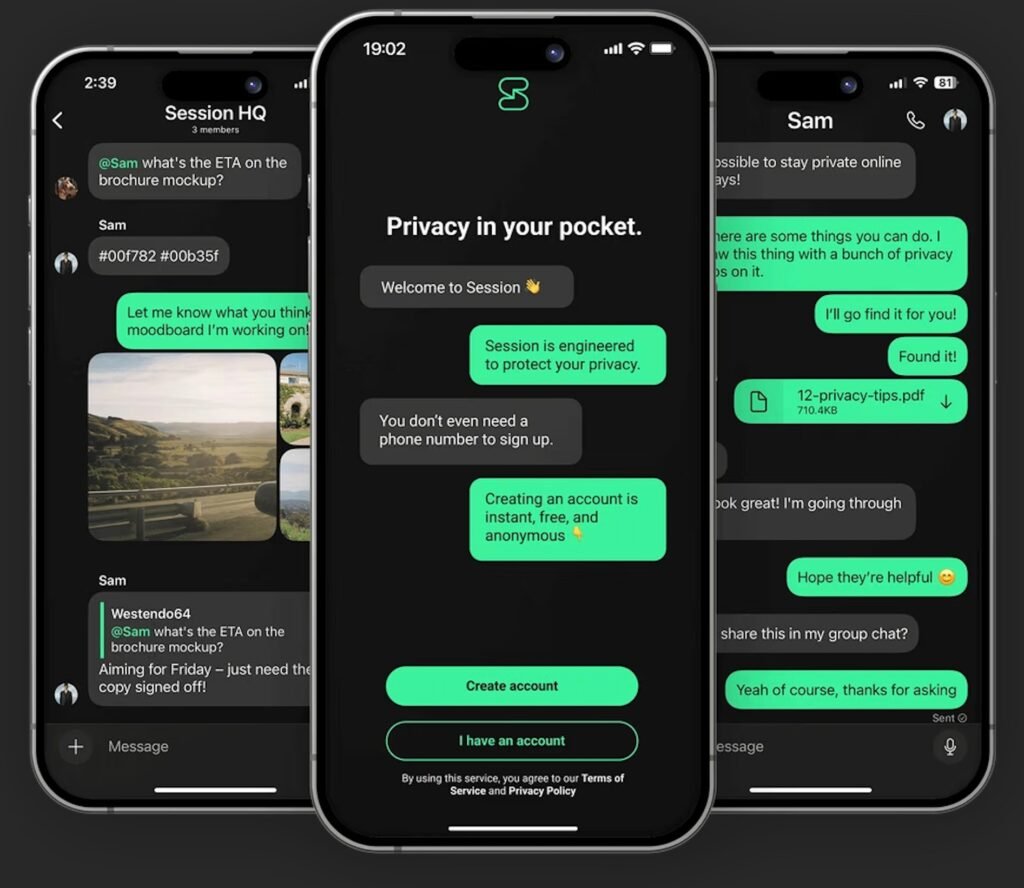
Session is a decentralized, privacy-first messaging app that prioritizes anonymity and user confidentiality. Unlike typical messaging services, it does not require a phone number, email address, or any other personal information to create an account. It is built on a distributed, user-run network that routes messages through multiple nodes to hide metadata like IP addresses, a process known as onion routing, similar to how Tor works.
Key features of Session include:
- No Personal Information Required: You create an account using a unique Session ID and a recovery phrase. No phone number or email is needed.
- Anonymity by Design: Messages are routed through a decentralized network of servers to protect your identity and metadata.
- End-to-End Encryption: All messages, files, and calls are encrypted, ensuring that only the sender and recipient can access the content.
- Open-Source: The app’s code is open-source, allowing for public scrutiny and independent audits, which builds trust and transparency.
- Rich Features: The app supports standard chat functions like text messages, voice/video calls (currently in beta), encrypted file sharing, and group chats.
How to Install Session
Session is available for a wide range of devices, including Android, iOS, Windows, macOS, and Linux.
On Mobile (Android/iOS)
- Download the app: Go to the official App Store (for iOS) or Google Play Store (for Android) and search for “Session.”
- Create an account: Open the app and tap “Create Account.”
- Set up your profile: Choose a display name (this doesn’t have to be your real name), accept the terms, and set your notification preferences.
- Save your recovery phrase: The app will generate a 12-word recovery phrase. It is crucial that you save this phrase in a secure location. This is your only way to restore your account and messages if you lose access to your device.
On Desktop (Windows/macOS/Linux)
- Download the installer: Visit the official Session website at getsession.org and download the installer or AppImage for your operating system.
- Run the application: Launch the installer file and follow the on-screen instructions. For Linux, you can use the AppImage, Flatpak, or your distribution’s package manager. Detailed instructions are available on the official website.
- Create an account: The setup process is similar to the mobile version. Follow the prompts to create a new account and remember to securely save your recovery phrase.
How to Use Session
Once you have installed the app and created your account, you can start communicating.
Adding Contacts
Session uses unique Session IDs instead of phone numbers.
- Find your Session ID: Your Session ID is a long string of characters. You can find it in your profile settings.
- Share your ID: Share your Session ID or QR code with your contacts using another secure channel.
- Add a contact: To add someone, enter or scan their Session ID or QR code within the app.
- Accept requests: Messages from new, unknown contacts will go to a request inbox. You must accept the request before you can start a conversation.
Messaging and Other Features
- Standard Chat: Enjoy standard chat features, including sending text, voice messages, images, and files.
- Group Chats: Create fully encrypted group chats for up to 100 people. The app also supports open communities with no size limit, though these are less private.
- Voice/Video Calls: Session offers voice and video calls in a beta phase. While these are encrypted, the app notes that your IP address may be exposed during the beta period. You can enable this feature in the settings.
- Privacy Settings: The app offers customizable privacy settings, such as “Fast” or “Slow” push notifications. “Fast” uses standard notification services, while “Slow” is more private but may result in message delays.
Session is an ideal choice for users who prioritize privacy and anonymity above all else, providing a secure way to communicate without leaving a digital footprint.
Hey, I’ve been using Session to chat with complete privacy and security. Come join me! My Account ID is
05ccec9befa8d36d1f8a6bedea057a278ce4ca8600afa349d5bd0bda07d6d6041d
Download it at https://getsession.org/download

Scan me with Session to Chat with me.
Or Add my personal Session ID:
05ccec9befa8d36d1f8a6bedea057a278ce4ca8600afa349d5bd0bda07d6d6041d